Trevor May.ca

blog - tech - photos - portfolio

Mar272012

How Politwitter Works

A new blog post on Politwitter detailing some of the background mechanisms that make Politwitter.ca tick. http://politwitter.ca/blog/26/how-politwitter-works

Mar122012

Politwitter Launches Government Social Media Aggregator

gov.politwitter.ca is a companion tool to Politwitter that tracks social media activity by Canadian government departments, institutions & organizations.

Many of the features, & statistic tracking from Politwitter is now available to help track & analyze how the Canadian government is using social media and how citizens are interacting with it.

Back in 2009 after launching Politwitter.ca I thought about creating sub-sites for local government, newsmedia & government. In 2009 I started creating newstweets.ca but soon realised there was not much interest. I created local.politwitter.ca to start collecting municipal twitter data, but also realised I didn’t have the time to maintain a database of all the municipalities in Canada. Keeping Politwitter going with federal & provincial politics is already a big undertaking.

I started on a Government site but with federal & provincial elections on the go I was focused on Politwitter.ca. Well in March 2012 a new site zegov.ca created a directory of Government Twitter & Facebook accounts so it reminded & prompted me to finish the Politwitter GOV site. Keeping a directory of Governments social media is manageable, the numbers aren’t huge. But as with the main Politwitter site the directory can be updated by anyone.

Politwitter not only lists government Twitter & Facebook accounts but also includes Youtube, Flickr & indexing of photos & links. Politwitter also aggregates all of this government social media data for permanent archival and analysis, with features & tools people have loved on the Politwitter political side.

Politwitter allows sorting, filtering, searching and statistics of the Government social media. More statistics will become available once more data is collected.

I don’t mean to step on Zegov’s toes, but I’ve had this on the backburner for 2 years and already had all the infrastructure built for Politwitter. Using the Politwiter platform gives much more functionality than exists on the Zegov website. I’ve also seen several projects like these popup over the years that fizzle out or aren’t maintained. Politwitter has a proven track record which media, politicians and government already rely on. I can also share data between the government & political sites for deeper analysis going forward.

I’m always open to working with others or having people help develop Politwitter, but for the most part no one takes me up on that offer and it’s been a solo undertaking. Of course if you’re not a web developer you can always help by keeping the directory updated, telling others about Politwitter or donating.

If you have any suggestions for the new Government Politwitter let me know! If you see a government twitter account missing you can add it here.

gov.politwitter.ca

Feb192012

Trailforks

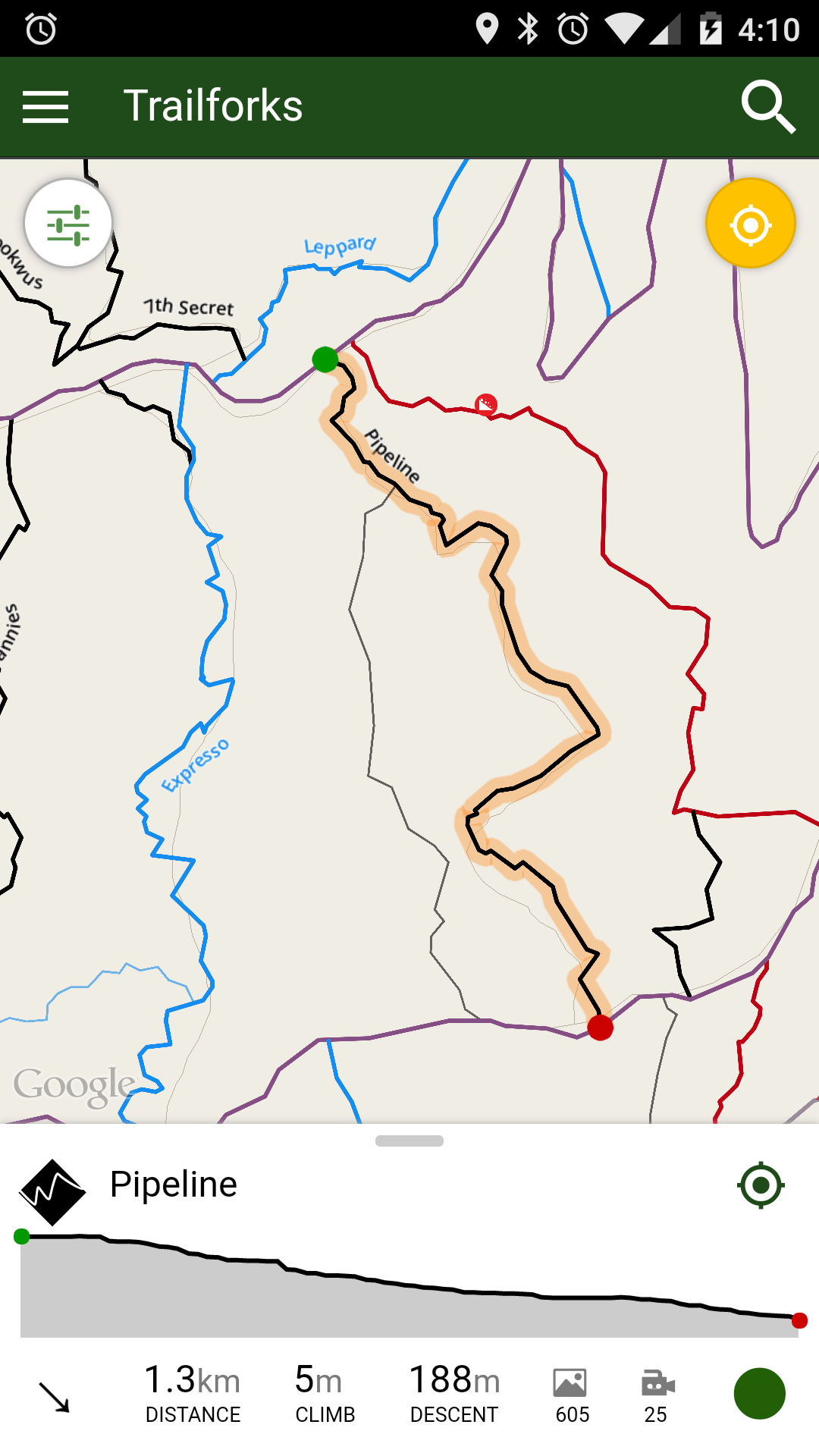
Finally pulling the wraps off a project I’ve been working on called Trailforks.www.trailforks.com is a community-powered mountain biking trail database currently focused on BC.

The core functionality of Trailforks is a database for mountain biking trails. Trailforks is a crowd-sourced community site and users can help populate and keep the database updated. The data & features for each trail is tailed specifically for mountain biking. There is a high focus on getting GPS data for every trail & maps are a big part of the site. Each trail page has a map and GPS data and each riding area has a Google Earth 3D map with all the trails plotted on it dynamically. Just upload a GPS track of a single trail and all the rest is handled automatically. (Example the Mount Fromme Page)

The site has loads of other features like photos, videos, skill parks, news, business directory, local products, events, forums, bike profiles, riding routes, route challenges, group ride planning & more. But one feature I really want to promote is “Trail Reports”. A Trail Report is a quick entry posted by users indicating the status of a trail and describing any problems or things needing attention on a trail. A trail report can also be a log of work done on a trail and “trail days”. I hope that local riding associations and trail maintainers might start using this tool. Most pages on the site offer RSS feeds and I can create custom widgets for associations so they can display trail status and reports on their own sites. I also have a REST API that accepts and outputs data in XML, JSON or Serialized PHP.

To help encourage people to build the database users earn points for all the content they contribute and credit is given to the user. The site also has points & gaming style achievements that users can unlock by helping contribute content or just by using the site. For example one of the achievements is “Ridden 100 Trails” earned by marking 100 trails as “ridden”.

Trailforks now also integrates with my “Ridelog” Facebook App.

Feb82012

Email Client Switch?

I’ve been trying out different email programs, just to see if something fits better than Outlook which I’ve always used. I use Google Apps to host my domain email and have to check using IMAP. I find the IMAP in Outlook fairly slow at times.

I tried Postbox & Opera mail and didn’t like either, I then tried Thunderbird again. I’ve tried it several times over the years and it never stuck. But now since I use an Android phone I’ve been using Google Contacts & Calendar more and more over the Outlook built-in options. I still use Outlook contacts & calendar but use a program called gSyncit to sync changes.

The thing that sets Thunderbird apart is its healthy ecosystem of  “addons”. There are addons to use Google Contacts & Calendar within Thunderbird. I also find the IMAP much faster and the search and filtering is faster and contains some nice features.

I will try using Thunderbird for a week as my main email client and see if it sticks. One thing I miss already is the ability to right click an email “find related messages” which Outlook has.

Here are the addons I’m using

Jan52012

Switching to XBMC

I have run a computer connected to my TV for many years, started with just normal windows then Windows Media Center 2005, then Vista Media Center then to Boxee and now i’m making the move to XBMC.

I’ve spent a lot of time the last 3 days pimping out my XBMC Eden setup and organizing my movies and tv shows so they 100% identify and have all the poster, banner, logo and fanart images.

I’m pretty happy with XBMC its very customizable, but I do miss some of the features and apps Boxee had.

I made a video demo’ing my XBMC setup
http://www.youtube.com/watch?v=0eepxM3K3tc

Here is a pic of my TV setup, my HTPC is a horizontal case under my receiver.


Tags: ,
Oct212011

Tip: Download Youtube Videos in HD

I like to save youtube videos I really like so I can watch on my TV anytime, fun to watch when friends are over and such. There are several extensions for the Google Chrome web browser that add a download button below the video on youtube.com This allows you to quickly and easily download the video in any format available, all the way upto 1080p!

Many of these extensions no longer work and there isn’t any in the official Chrome Extension directory. This one currently works great though, the one I was using before stopped working.

http://www.chromeextensions.org/music-videos-photos/download-youtube-videos-as-mp4-flv/

You want to download the MP4 versions for best video offline playback, if you run a Windows prior to Windows 7, you may have to install a codec pack to play MP4 files.

Tags:
Mar172011

Updates to Politwitter.ca

I’ve been working hard on Politwitter this past week, adding many new exciting features along with several bug fixes.

I just finished adding a new statistics page that tracks the sentiment of tweets mentioning MPs. The results are grouped by party and interesting charts are shown.
http://politwitter.ca/page/sentiment

I created a page listing all the Twitter hashtags for House of Commons committees and will now index all tweets using these hashtags.
http://politwitter.ca/page/committees

I created a list of all 308 federal ridings http://politwitter.ca/riding
You can click on any riding to view that ridings social media page, showing all related content for that riding.

I also started a federal riding hashtag format based on the riding EDID number for people to tag their tweets about local riding issues. To help people find your EDID hashtag I created this lookup tool http://politwitter.ca/page/edid_lookup

I remade the main menu using a multi-column dropdown format, allowing for much more links in a user friendly format.

I created a system to collect the total number of tweets each parties MPs make each week then to automatically tweet out those stats for each party using 4 Twitter accounts I have for each party. So people can follow which ever twitter account they are interested in. The stats can also be viewed on this page: http://politwitter.ca/page/statistics_weekly

I remade the “election fever” page updated for 2011 and switched the charts to use the new interactive Google visualization.
http://politwitter.ca/page/election_fever

I did some major backend work to allow the site to start tracking MPs & MLAs that are not on Twitter but do have other social networks. Previously everything was tied to a twitter username, so I wasn’t able to add MPs without Twitter.

Along with that I started creating new directory pages to list the politicians on other social networks than Twitter
Facebook: http://politwitter.ca/directory/facebook
Youtube: http://politwitter.ca/directory/youtube/mp/house

Also related are the new ‘profile overview’ pages for tracked users, which give a summary of all their social media content indexed by Politwitter. Example: http://politwitter.ca/profile/joycemurray
I’ve also added ‘Klout’ score to all MPs profiles.

I started populating the stats page on MPs profiles, here is an example: http://politwitter.ca/page/userstats/user/MinJK

There is now a “Bills & Votes” landing page http://politwitter.ca/page/bills and I’m working on indexing all tweets relating to any bill in parliament, then listing all the bills with related tweets.

The MP & Riding search was also improved. You can enter an MP or MLAs name, riding name or a postal code and get a list of MPs and ridings that match.
Example: http://politwitter.ca/mp_search.php?search_mp=Peter

————————————————————————–

And finally I added a new blog post asking for Donations to help fund the continuing development, upkeep and hosting of Politwitter.ca

Read the post here: http://politwitter.ca/blog/14/call-for-donations
Donate here: http://politwitter.ca/page/donate

Mar42011

My Pet Peeve with Game Data on C Drive!

So many games on Windows saved their game data in annoying places on the main system drive “C: drive”, this is something that drives me nuts!

First there is the issue with saved games, there is no standardized location to store saved game data. It seems like ever game stores it in a different place. You would think that a company like EA would at least have a standard across all of its own games, but no! Here is a list of some of the locations saved games are stored.

  • The saves in a folder within the game install folder
  • The “My Games” folder within the “My Documents” folder
  • The game creates its own folder in “My Documents”

Windows 7 even has a special folder in your user account called “Saved Games” but it seems no games use it, not even a Microsoft game! The result is a complet mess of your “My Documents” folder, making it pretty much useless for actual documents. I have resorted to creating a separate “Documents” folder and removing the default “My Documents” from the Windows 7 Documents Library.

Why can’t their be a standardized location to save games! the formentined “Saved Games” folder would be excellent. Maybe Microsoft needs to dictate that game publishes use a standard in order to get the “Games for Windows” or any Microsoft certified Windows logo. Obviosuly we cna’t rely on the publishers themselves to form a consensus.

Game Data & Settings

The saved game issue is an annoyance of organization and aesthetics, the issue of Game data & settings cane be more troubling. Many games store game data in places they shouldn’t as well, in the My Documents folder, or more commonly the “C:\ProgramData” or “C:\Users\[username]\AppData” folders. This is a good practice in general for game settings and profiles. For example if I have a bunch of video and custom keyboard commands set in a game, it can make it easier to transfer and keep those commands if I migrate Windows users accounts, or upgrade me OS. It also allows different users on the same PC to have their own settings.

The problem is when a game stores more than just settings files in these locations, many games saved large files such as game textures, large reply files, cache and so on. For example I have a couple games that have over 2GB folders in the “My Documents” folder full of crap. Or take Dirt2, it has a 2GB folder in “C:\Users\All Users\Codemasters\DiRT2\DataCache“. Even some games installed through Steam are not immune to this problem. Even worse is I’ve seen some games store large amounts of data in the users “Roaming” folder! If your on a domain network, the contents of the Roaming folder are transfered over the network when you login and off from the network.

Why is this an issue? Well many people don’t have large C: drives, which is actually becoming more common with the use of SSD drives. I for example have a fast Raptor drive which is only 74GB for my system drive. I have 4TB of other drives in my computer, but the C drive is small. I install all my games to the D: drive, but so many of them spill over great amounts of data to the system drive which is constantly filling up. I have resorted to creating folder “junctions” or “Symbolic Links” to redirect these problem folders from the C drive to the D drive. If your interested in how to do this search for a command line tool included in Windows called “mklink”.

</rant>

Tags: ,
Mar22011

Trillian 5 is Awesome!

2 years ago I noticed several friends no longer using Windows Live Messenger for chat, instead they were using Facebook chat. The mass majority of people I IM with use the “MSN” protocol, but its still annoying having to communicate in multiple places. Add to that separate contact lists in Skype, GTalk and Xfire. I wanted a universal Instant Messenger!

So 2 years ago I tried a whole wack of programs and decided I liked Pidgin the best. Pidgin is a open source cross-platform multi network IM client http://www.pidgin.im/. It worked very well, its a super clean interface. It didn’t have functionalty for Facebook and Xfire out-of-the-box, but there were 3rd party plugins to allow this. There were other IM clients that did this, but Pidgin was the only one that would allow me to combine or merge contacts on multiple networks. See the problem is many of my contacts are on Facebook and Windows Messenger at the same time, so my online contact list grows too large. So I wanted to be able to combine contacts. Now Pidgin worked well for a time, but the Facebook chat over the past year has stopped working or it works very poorly, mostly due to changes on the Facebook platform and security I would imagine.

So tonight I decided to look again at the options, and came across the new Trillian 5 beta. I had used Trillian way back in the 90′s as an ICQ client alternative, boy has it changed! They are billing themselfs now as a universal IM client, which supports MSN, Facebook, Foursquare, Twitter and much more! Trillian in the past always had a butt ugly interface, the new 5.0 is a very nice minimal interface with a fair amount of customization.

But the BIG thing they’ve added that I want is the ability to COMBINE CONTACTS! I can hold CTRL and select “Bob” in Facebook and Windows Messenger, then right click and select “combine”. I then can choose the network priority, so say I want Messenger to take priority over Facebook chat if he’s online on both. This is awesome and works great.

If you want to try this out, one thing I had to do 2 years ago with Pidgin is rename all my groups in Windows Live Messenger and Facebook to be the same! If you don’t then you will have a messy contact list with duplicate groups. if you don’t use groups then thats fine, but when you have over 300 Messenger contacts groups are a must!

Now only if it could integrate Xfire and Steam!

You can download and try out Trillian here: http://www.trillian.im/learn/tour-trillian5.html

Feb92011

GoPro Helmet Cam Skiing Videos

I received a GoPro Helmet Hero HD for Christmas and have been having fun recording some skiing videos. I am so far pretty impressed with the GoPro, the quality of the 1080p video in sunlight is very good. I have had some problems with the camera going wonky and the video getting messed up in cold temperatures. A couple times I had to remove the battery to get the camera to turn off. It seems the problem might be the memory card though, so I am going to try buying a different SD card.

This is my video of a backcountry day trip I went on in January and my favorite video so far.
Hanging Valley Backcountry Skiing

Tags: